library(httr2)

test_url <- paste0(
  "https://api.greenjurisdictions.org/api/v1/dataPlaces/false/true/false",
  "?ID_Topic=11",
  '&ID_Countries=["CO"]',
  '&ID_Jurisdictions=["CO-AMA"]',
  "&ID_Municipalities=[]"
)

response <- request(test_url) |>
  req_headers(
    "X-API-TOKEN"  = Sys.getenv("GJD_API_KEY"),
    "Accept"       = "application/json",
    "Content-Type" = "application/json"
  ) |>
  req_perform()

cat("Status:", resp_status(response), "\n")

body <- resp_body_json(response)
cat("Message:", body$message, "\n")
cat("Records:", body$data$total_data, "\n")API Authentication
How to register and obtain your GJD API key
Overview
All examples in this section interact with the Green Jurisdictions Database through its REST API. To make authenticated requests, you need a personal API key.
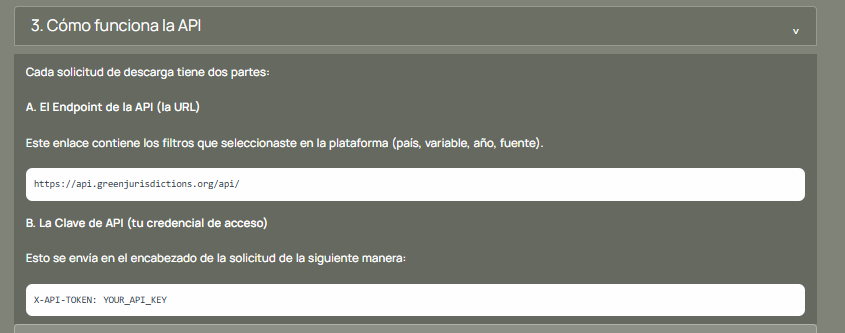
Every API request has two parts:
- The endpoint URL:
https://api.greenjurisdictions.org/api/v1/...(with path and query parameters for filters) - The API key: sent as the
X-API-TOKENheader
Step 1: Create an Account
If you don’t have an account yet, head to greenjurisdictions.org and sign up for free.
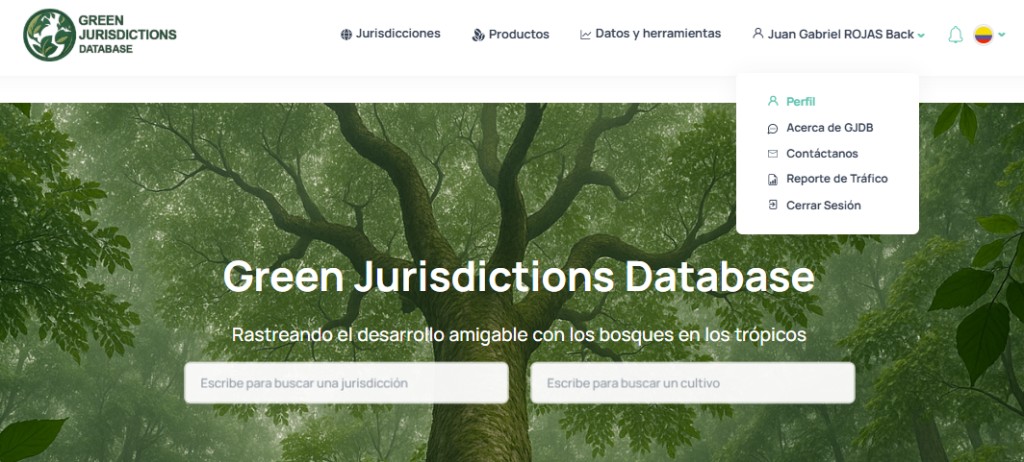
Step 2: Navigate to Your Profile
Once logged in, click on your username in the top navigation bar. A dropdown menu will appear — select Profile.
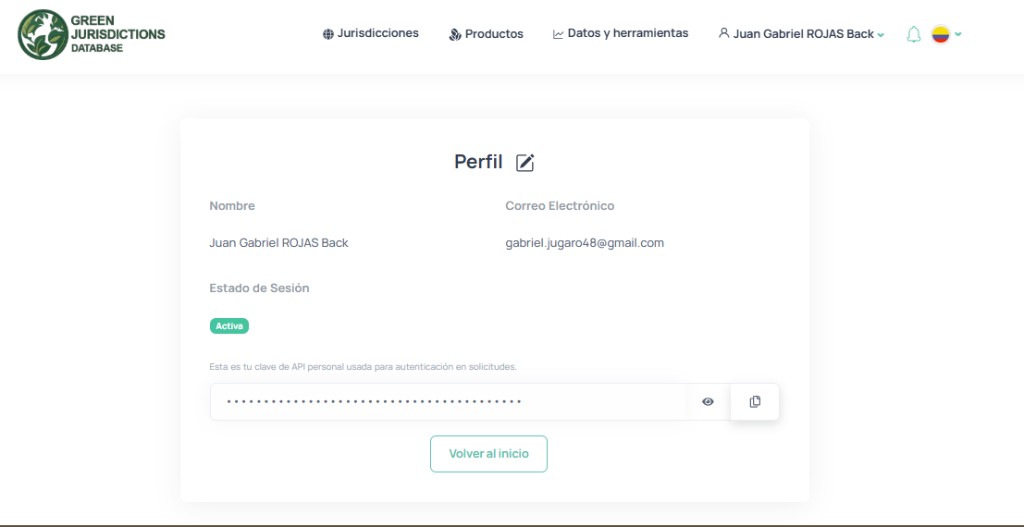
Step 3: Copy Your API Key
On the Profile page you will find your personal API key. Your session status should show as Active. Click the copy button next to the key to copy it to your clipboard.
Step 4: Store Your Key Safely
WarningNever hardcode your API key
Do not paste your API key directly into your scripts. Use environment variables instead.
Create a .Renviron file in the project root with the following content:
GJD_API_KEY=your-api-key-hereThe repository includes a .Renviron.example file as a template. You can copy it and fill in your key:
cp .Renviron.example .RenvironThen edit .Renviron and replace your-api-key-here with the key you copied from your profile.
Tip.gitignore
The .Renviron file is already listed in .gitignore, so it will never be committed to the repository. Only .Renviron.example (without your real key) is tracked by Git.
Step 5: Verify Your Setup
Open an R console (in RStudio, VS Code, or a terminal running R) and run the following code. This makes a small test request to the GJD API — fetching deforestation data for the Amazonas jurisdiction in Colombia:
If everything is configured correctly you should see:
Status: 200
Message: Resources retrieved successfully.
Records: 56
NoteWhere to run this?
You can run the code above in any of these places:
- RStudio — Open the R console (bottom-left panel) and paste the code.
- VS Code / Cursor — Open a terminal, type
Rto start an R session, and paste the code. - Terminal — Run
Rscript -e "..."directly from the command line.
Make sure you run it from the project root directory so that R can find the .Renviron file.
You can also verify with a cURL command directly from your terminal:
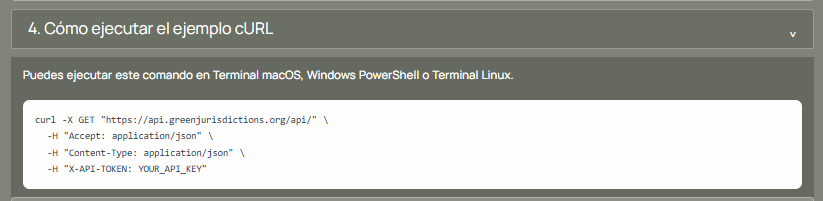
curl -X GET "https://api.greenjurisdictions.org/api/v1/dataPlaces/false/true/false?ID_Topic=11&ID_Countries=%5B%22CO%22%5D&ID_Jurisdictions=%5B%22CO-AMA%22%5D&ID_Municipalities=%5B%5D" \
  -H "Accept: application/json" \
  -H "Content-Type: application/json" \
  -H "X-API-TOKEN: YOUR_API_KEY"
Next Steps
With your API key configured, you are all set to run the use cases. Head to the Use Cases section in the sidebar.